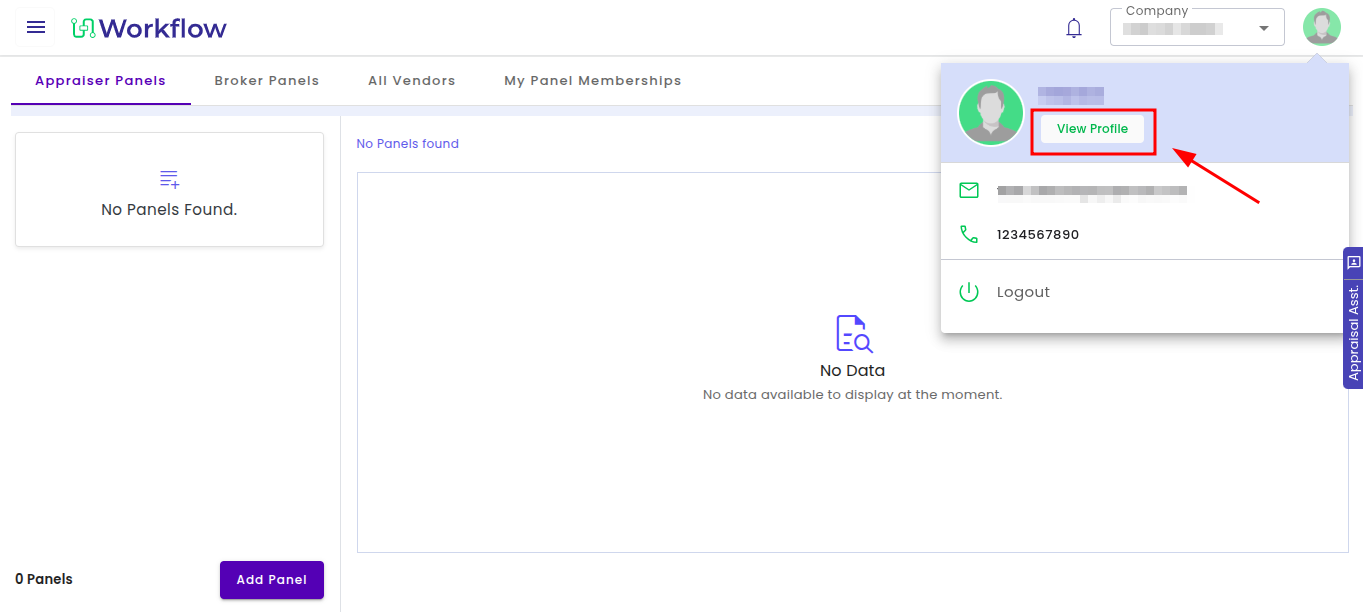
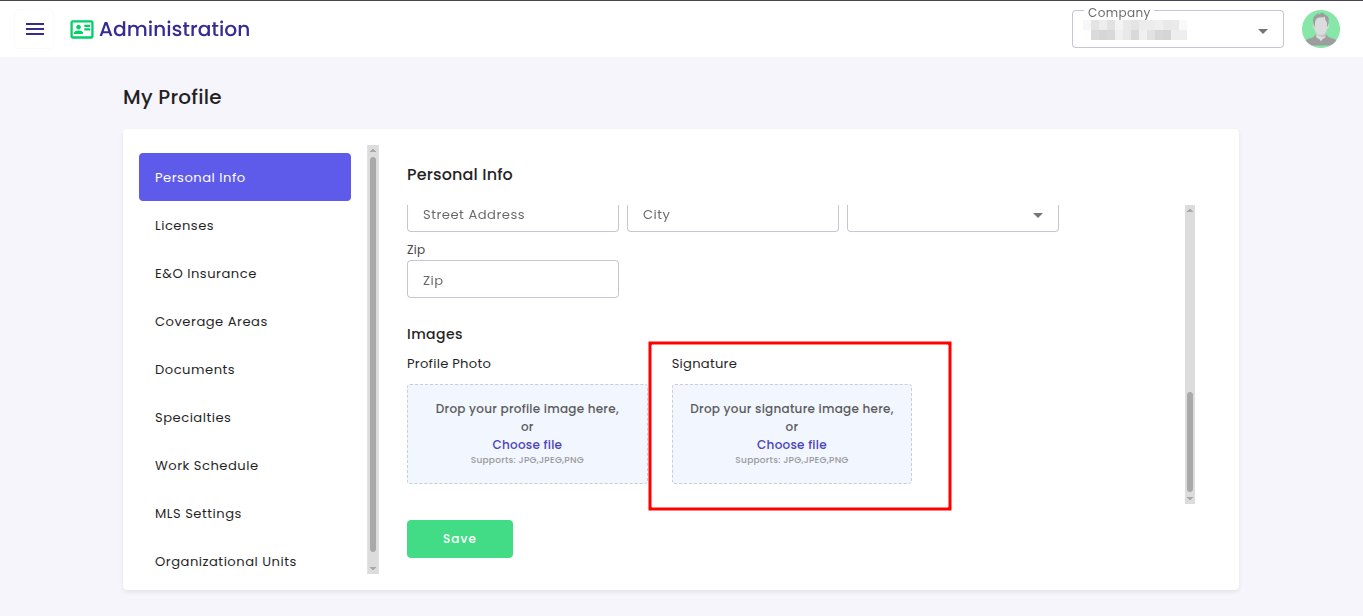
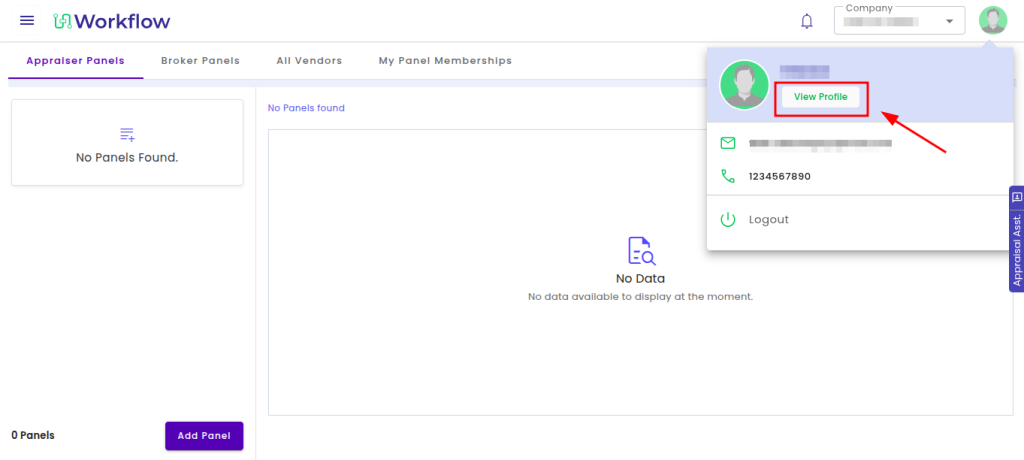
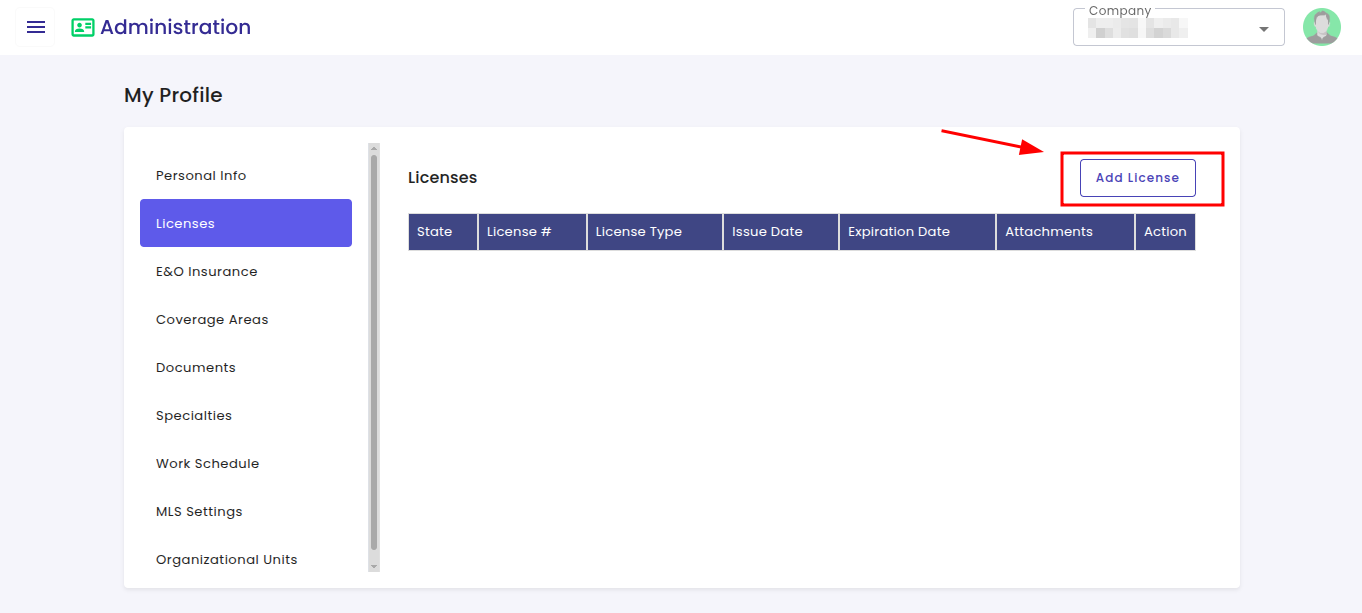
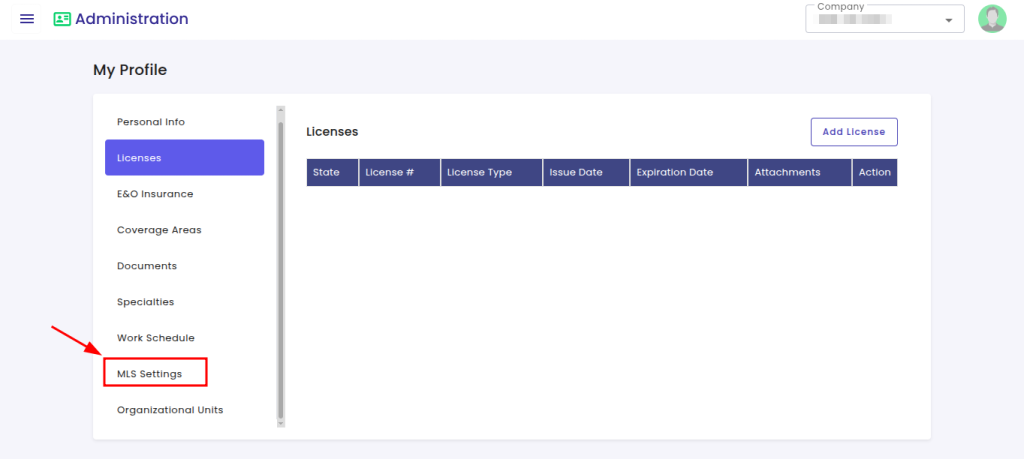
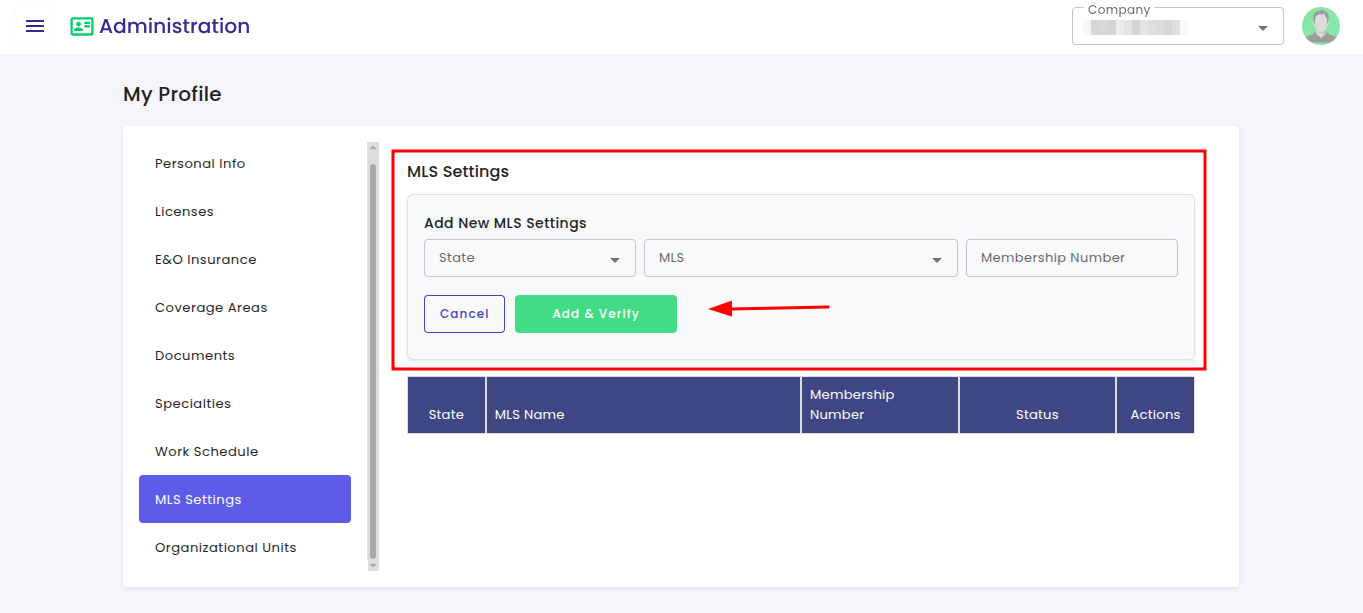
How to setup your Profile in Profet.ai? By Profet AdminJune 2, 2026June 2, 2026Profile Management How to upload a signature to your profile? Click on the profile icon located at the top-right corner of the screen and click “View Profile”. Click on “Choose file” under “Signature“. Click on ‘Save‘ to finalise the change. How to add license information ? Click on the profile icon located at the top-right corner of the screen and click “View Profile”. Navigate to the left-side menu and click on “Licenses” and click on the “Add License” button. A License is required to complete an order. How to configure MLS settings and verify membership details ? Click on the profile icon located at the top-right corner of the screen and click “View Profile”. From the left-side navigation panel under Profile Settings, click on “MLS Settings” Enter the following information, like state, MLS name and membership number. Click on “Add & Verify” to validate and save the MLS details. MLS is necessary for a user to do a comparable search inside the order. Post navigation How to create a new Valuation and BPO report in Profet Valuation?How to get started with Profet.ai?