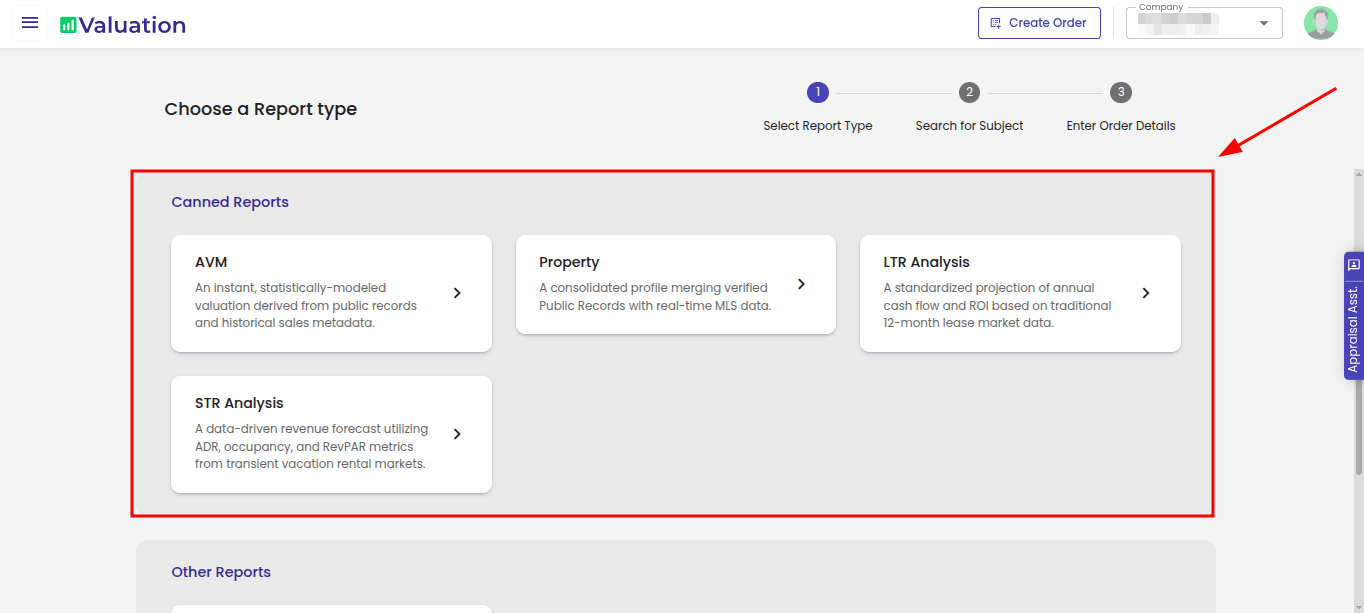
Choose the desired Canned report from the options available.
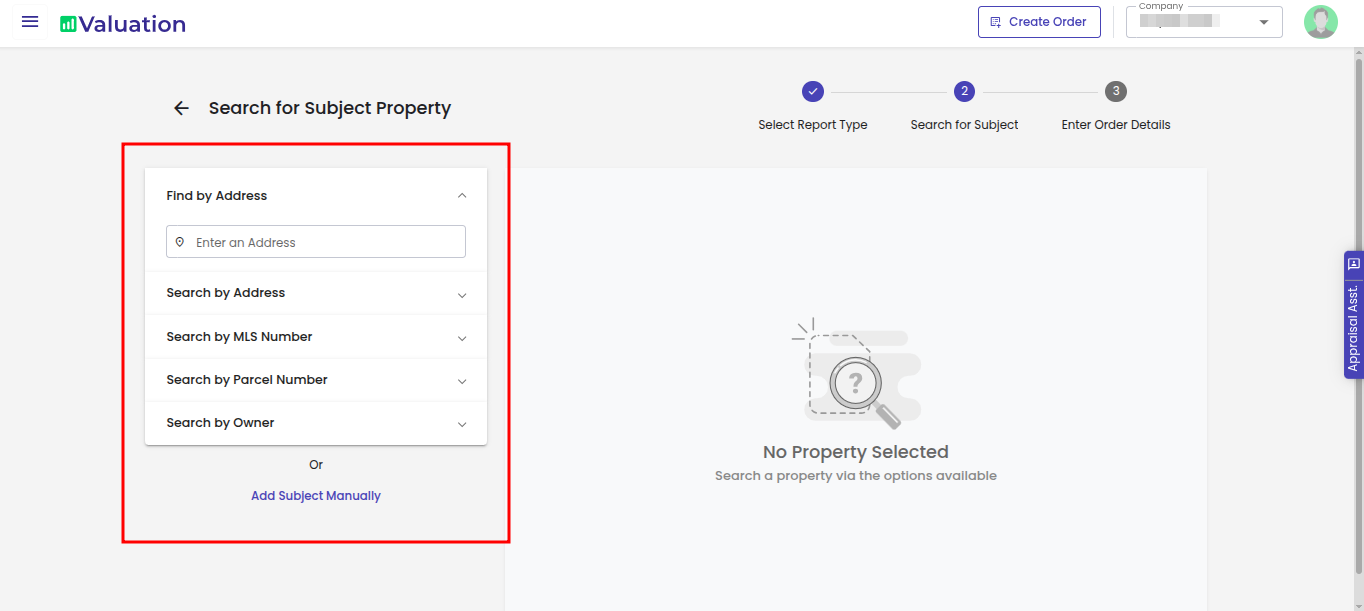
Enter the property details that you want to search for. You can choose multiple ways to search for the property.
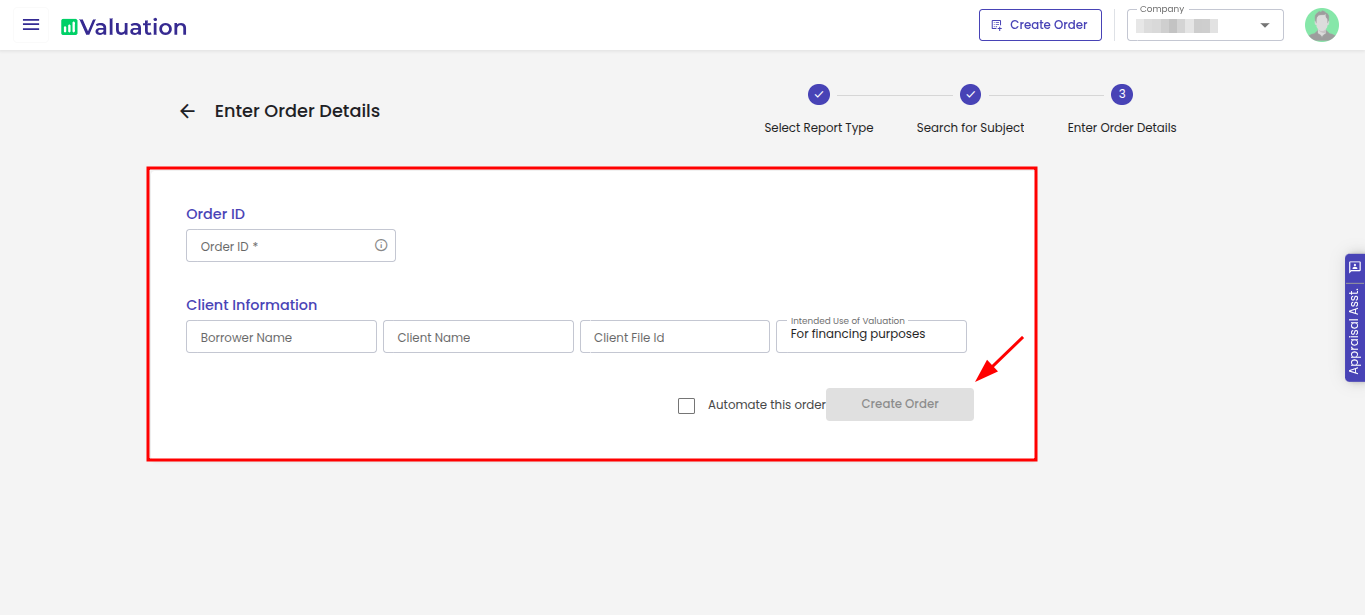
Enter all the Mandatory details and Client Information and proceed with creating Order.
Required fields for Canned Reports
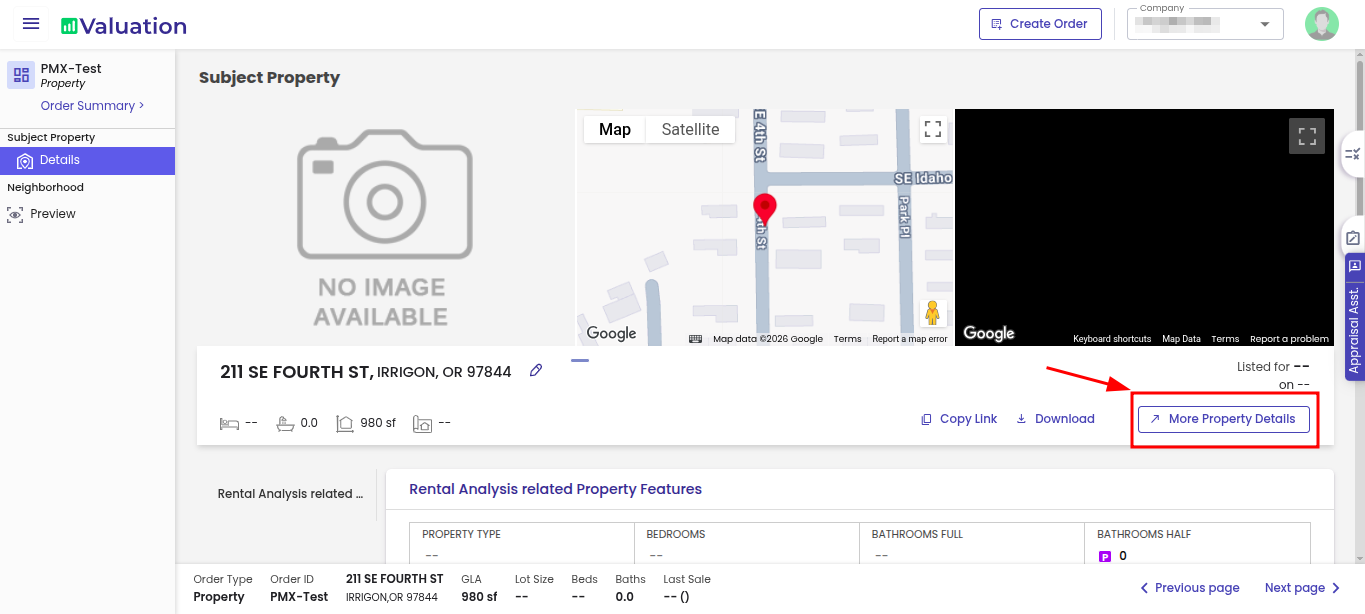
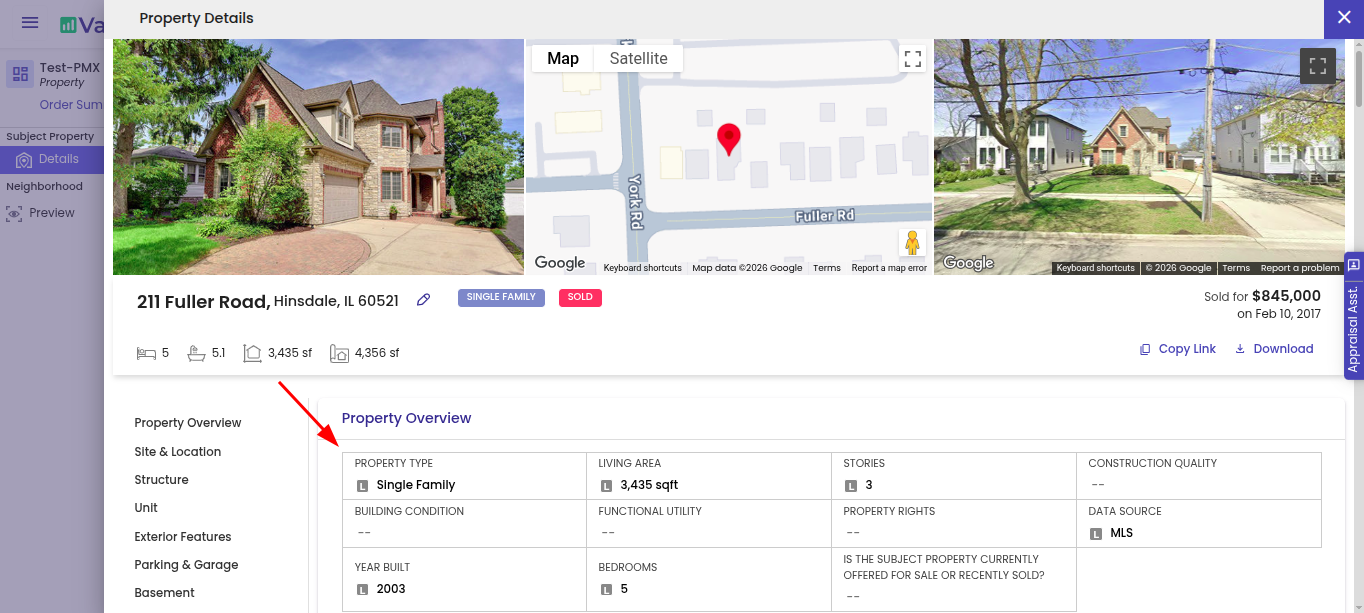
Under the Subject Property section, click on More Property Details.
Enter all the required property information in the respective fields. Ensure all mandatory fields are completed before proceeding with the order creation process.
How to generate and download a Canned Report?
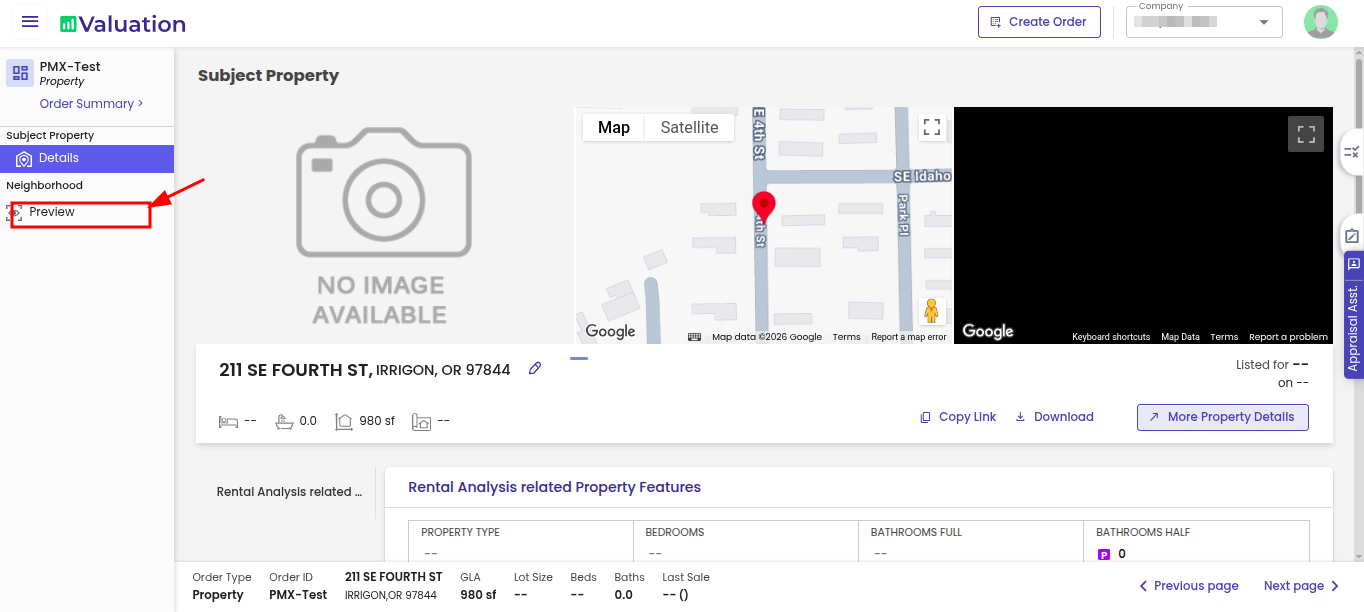
Click on preview under Neighbourhoods
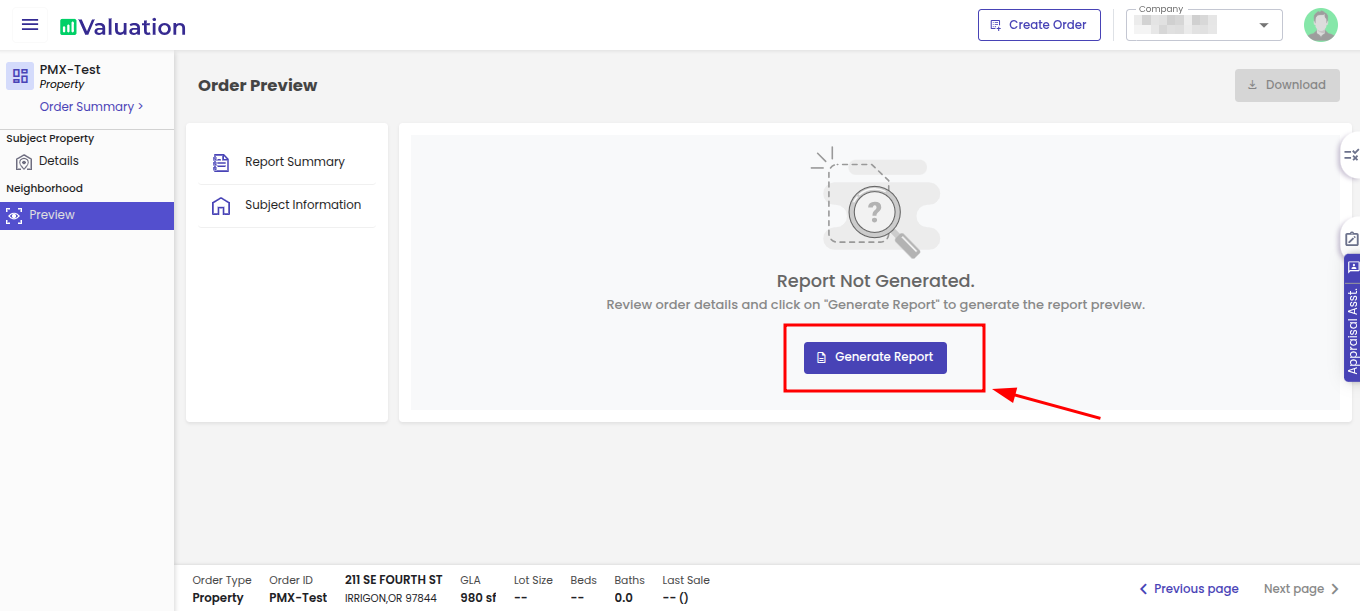
Click on generate report in preview section
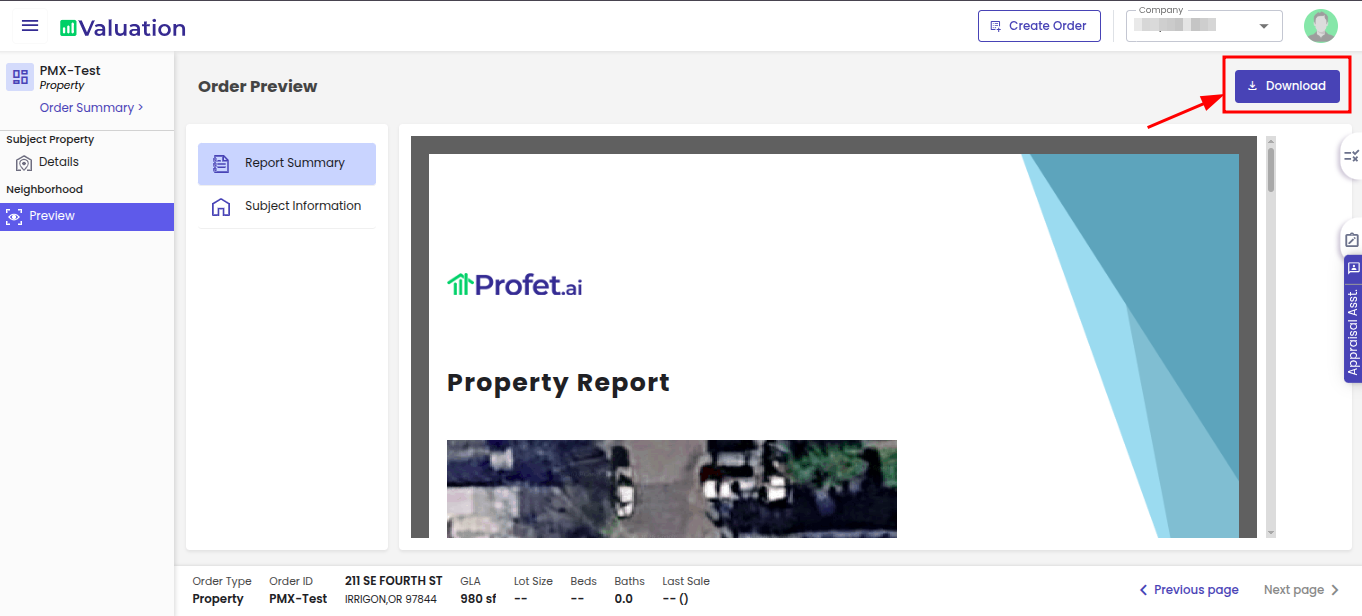
Once the report is generated, click on the Download option located at the top-right corner. Select the preferred available file format to download the report.