When users log in to Profet.ai, they are redirected to the Workflow section by default. Follow the steps below to navigate between the Workflow, Valuation, and Review applications using the navigation menu.
How to Switch from Workflow to Valuation?
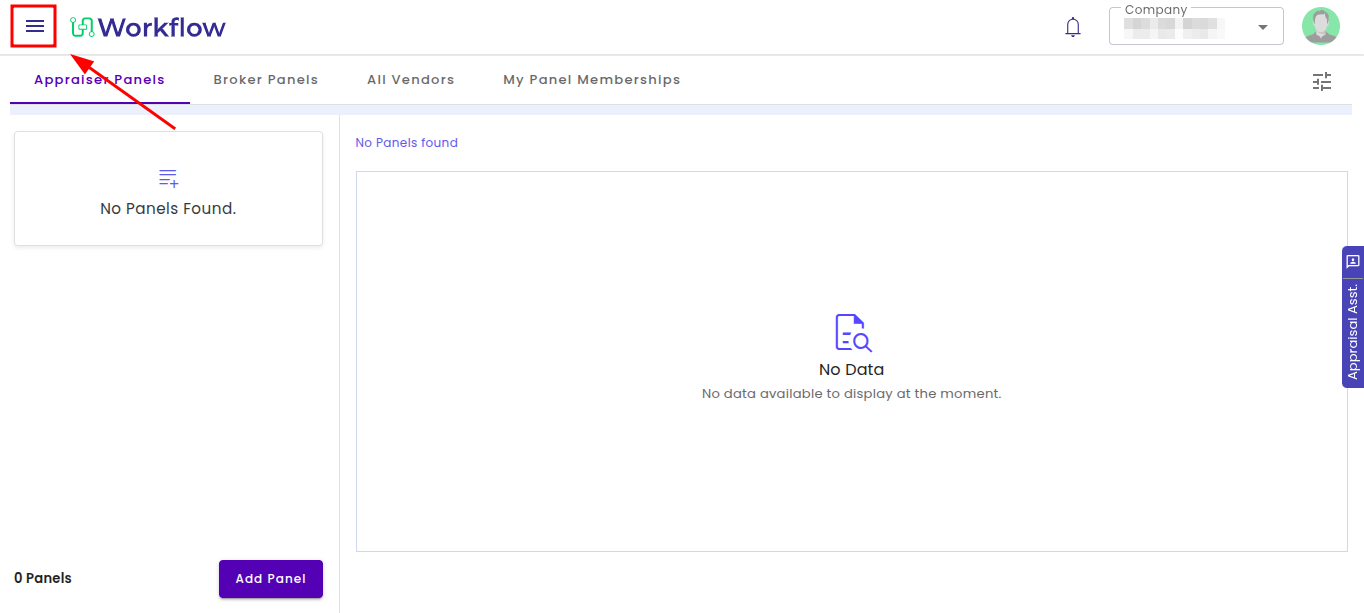
Step 1: Click on the hamburger menu (☰) in the top-left corner
This will open the main navigation menu, where you can access different sections within Profet.ai.
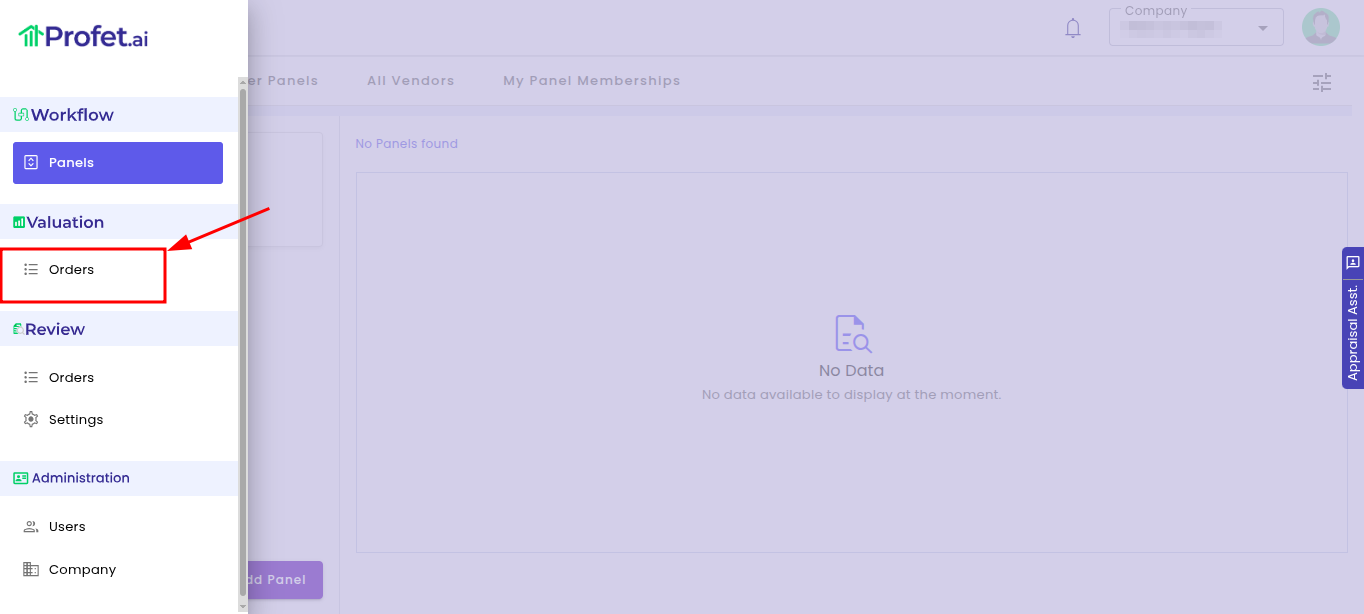
Step 2: Under the Valuation section, click on “Orders”
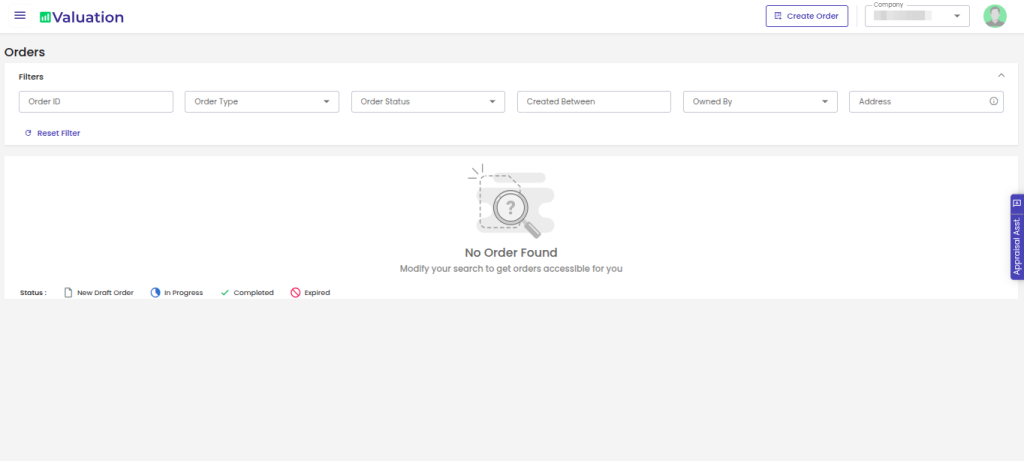
Selecting “Orders” will take you to the Valuation Orders page, where you can manage and create valuation orders.
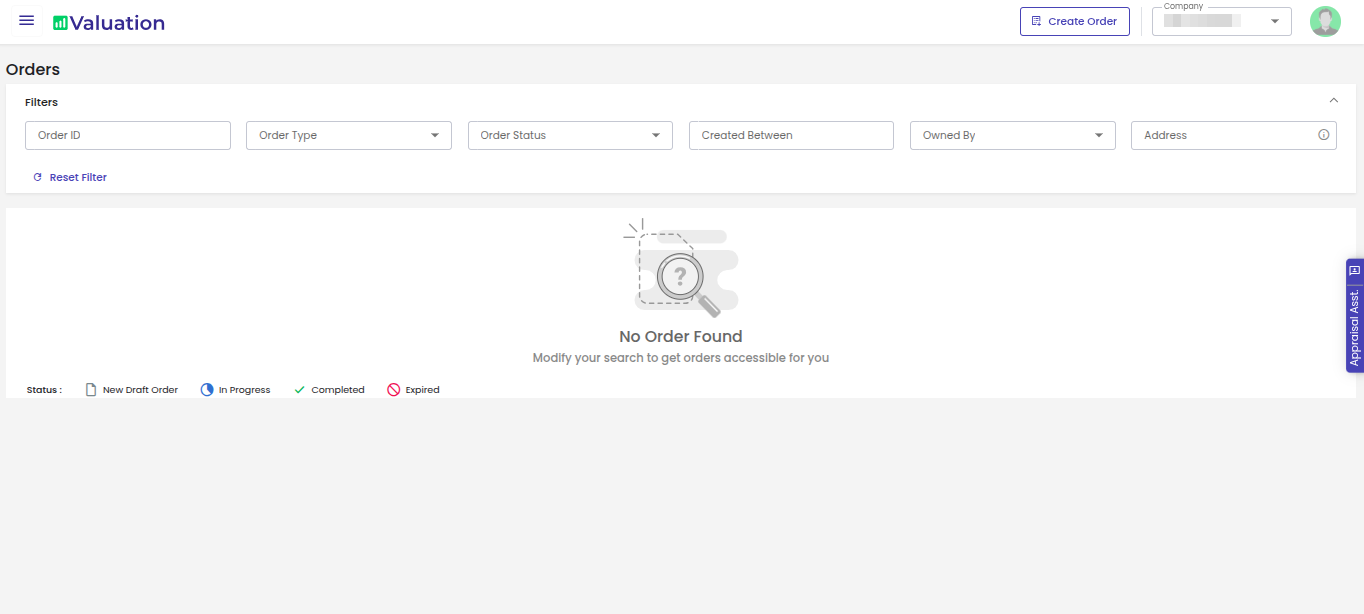
Step 3: You will then be redirected to the Orders page
The Orders page displays the list of existing valuation orders along with their status and related details.
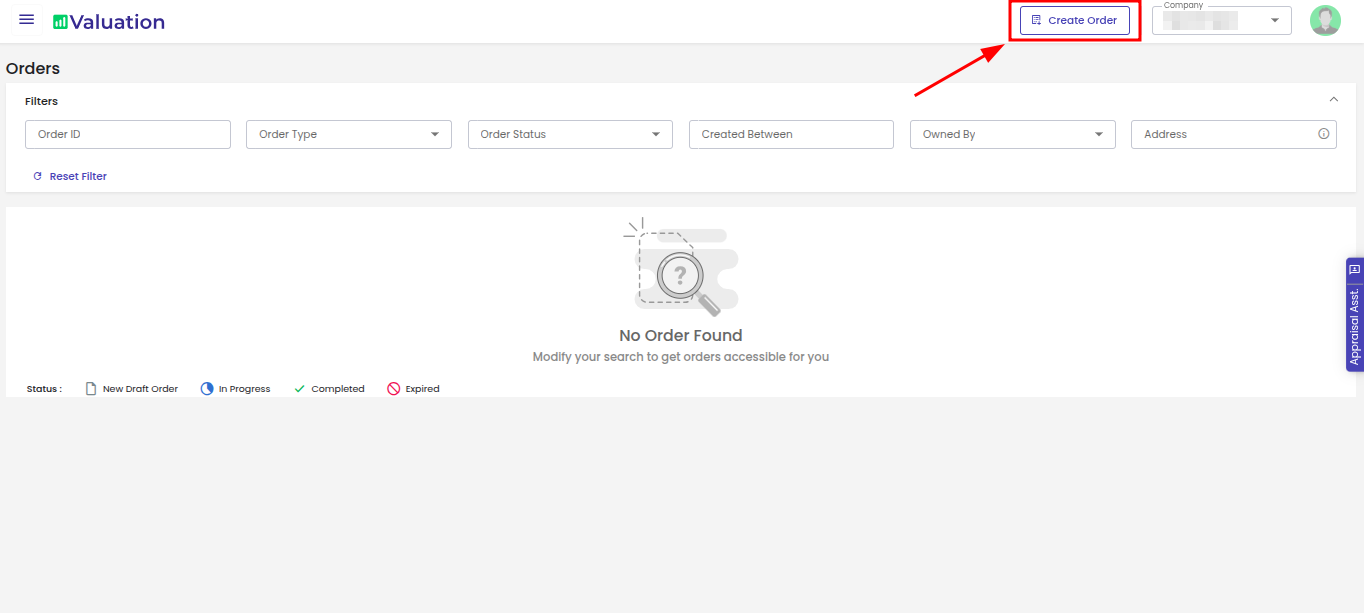
Step 4: Click on “Create Order” to proceed with creating an order
This option allows you to initiate a new order request by selecting the report type and entering the required property and order details.
How to Switch from Workflow to Review?
Step 1: Click on the hamburger menu (☰) in the top-left corner
This will open the main navigation menu, where you can access different sections within Profet.ai.
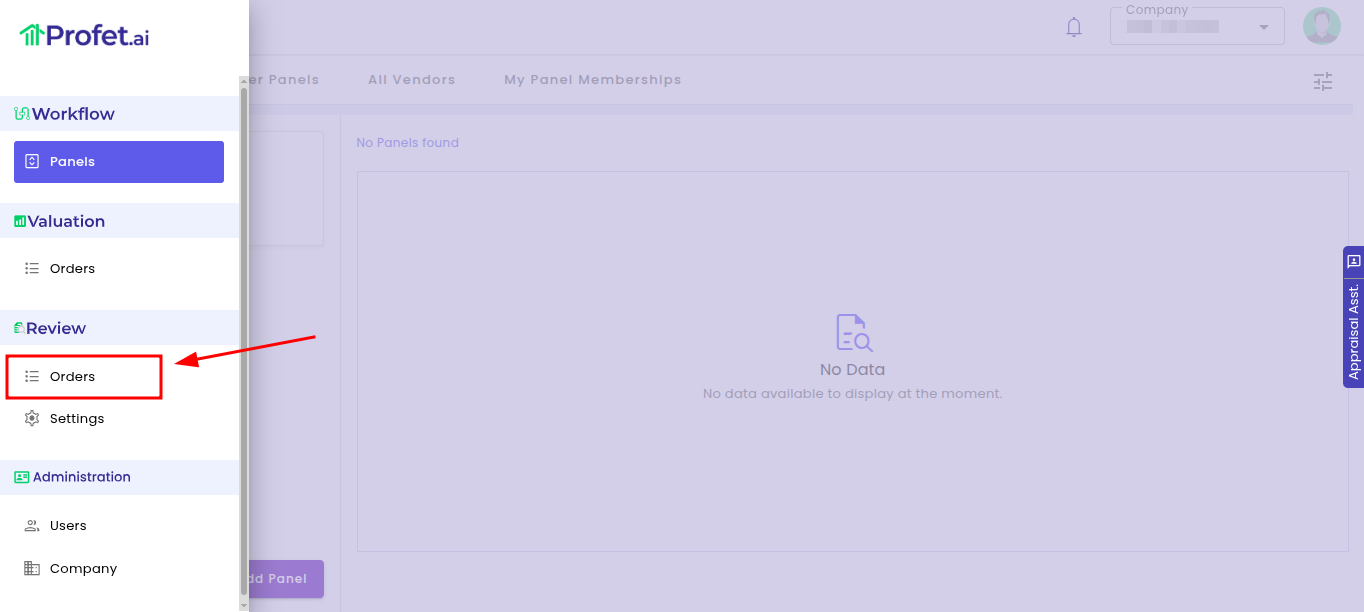
Step 2: Under the Review section, click on “Orders”
Selecting “Orders” will direct you to the Review Orders page, where review-related files and requests can be managed.
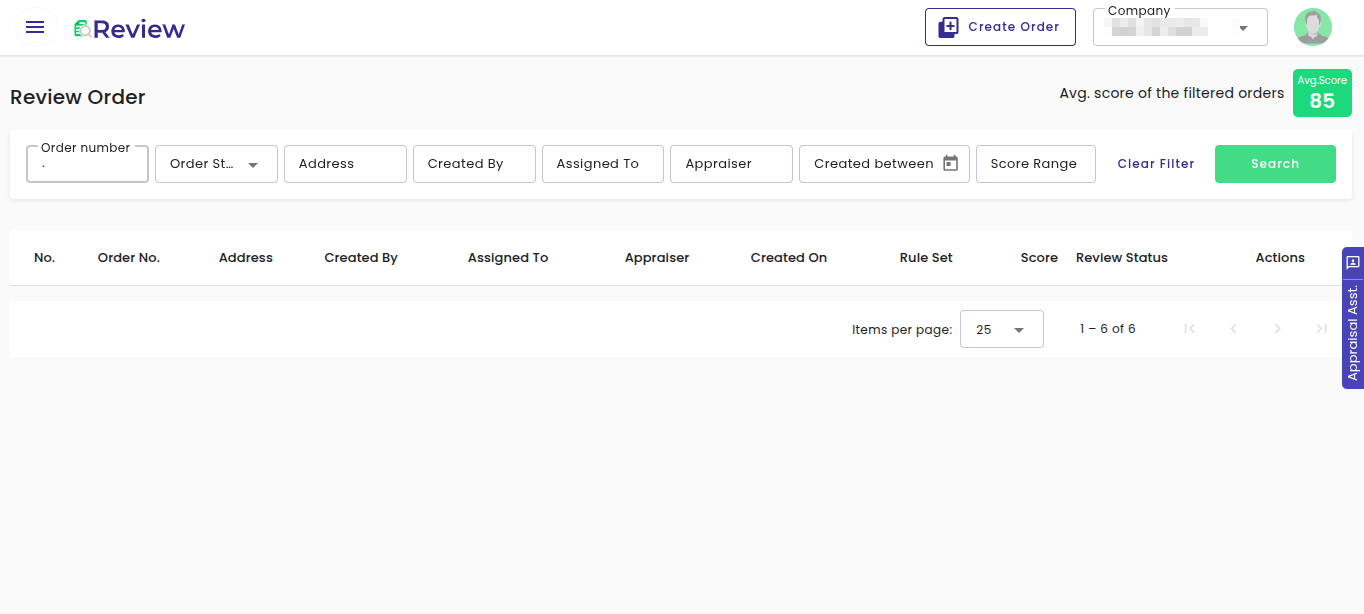
Step 3: You will then be redirected to the Review dashboard
The Review dashboard displays the available review orders, their progress, and other relevant review details.
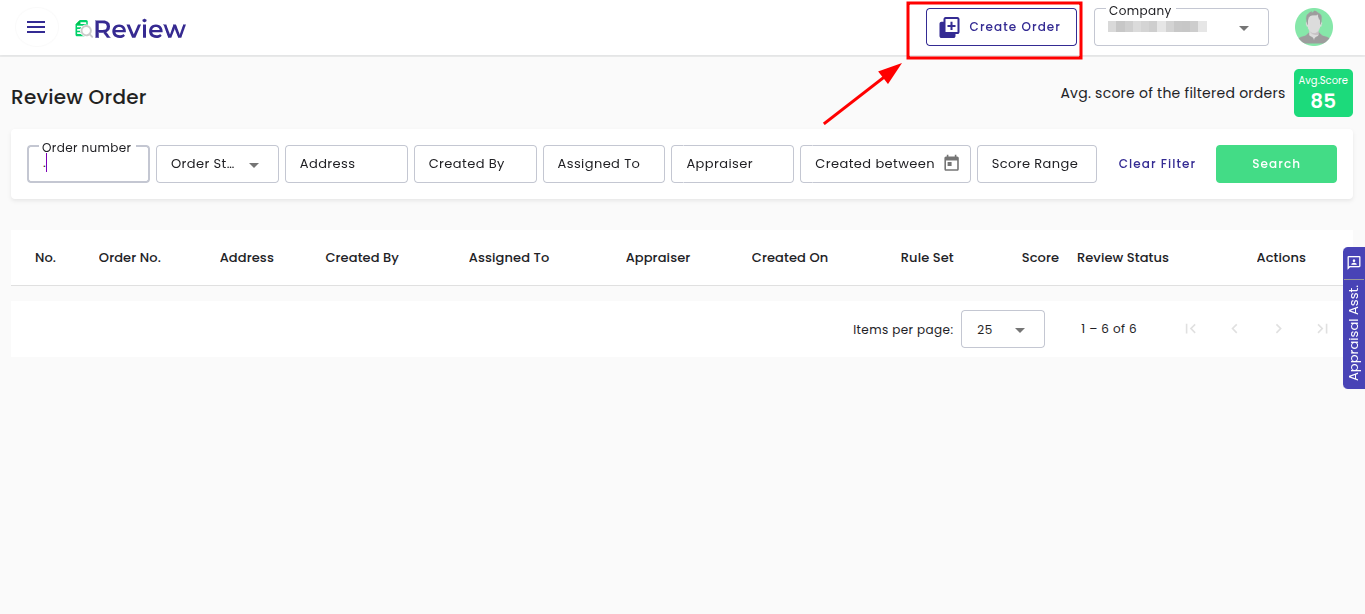
Step 4: Click on “Create Order” to upload files to start reviewing
This option allows you to create a new review order by uploading the required appraisal or supporting documents for review.
How to Switch from Valuation to Review?
Step 1: Click on the hamburger menu (☰) in the top-left corner
This will open the main navigation menu, where you can access different sections within Profet.ai.
Step 2: Under the Review section, click on “Orders”
Selecting “Orders” will direct you to the Review Orders page, where review-related files and requests can be managed.
Step 3: You will then be redirected to the Review dashboard
The Review dashboard displays the available review orders, their progress, and other relevant review details.
Step 4: Click on “Create Order” to upload files to start reviewing
This option allows you to create a new review order by uploading the required appraisal or supporting documents for review.
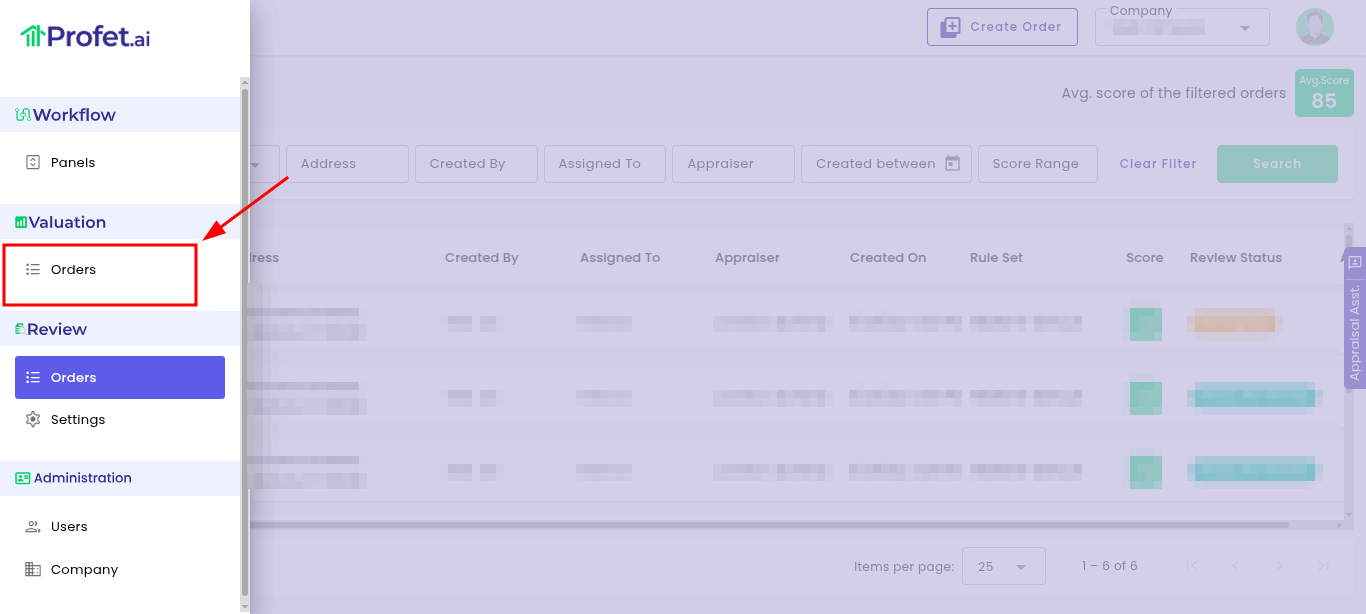
Step 5: To switch back to Valuation, open the hamburger menu (☰) and select “Orders” under the Valuation section
The Orders page displays the list of existing valuation orders along with their status and related details.
Need Assistance?
If you have any questions, require support, or would like a walkthrough of the platform, please contact our support team at support@propmix.io.